Security Awareness
Interactive cyber security training with built-in courses, phishing scenarios, reminders and escalation. Policy sign-off, joiner and leaver checklists and a staff incident log, with the evidence kept to help you prepare for audits.
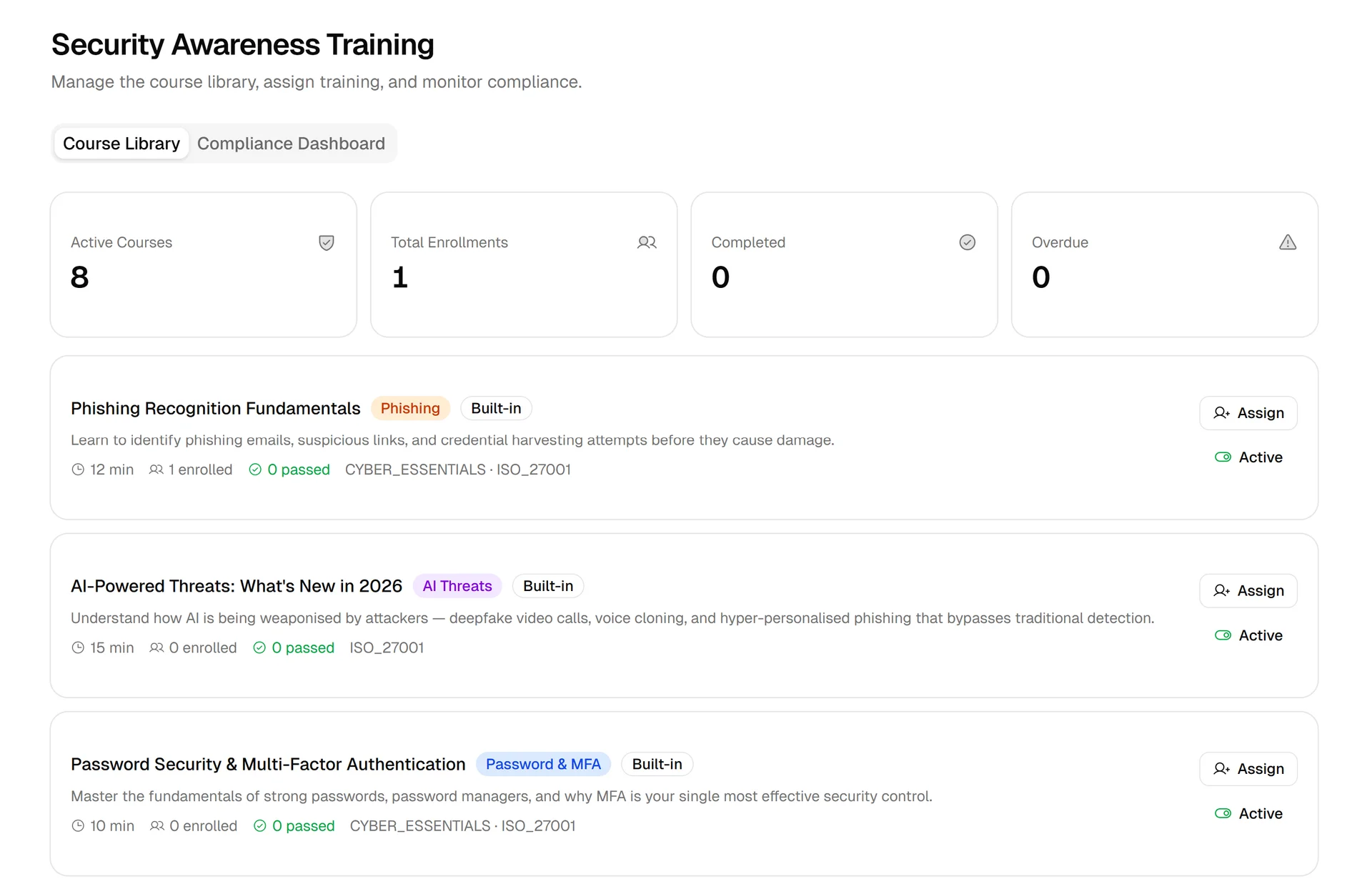
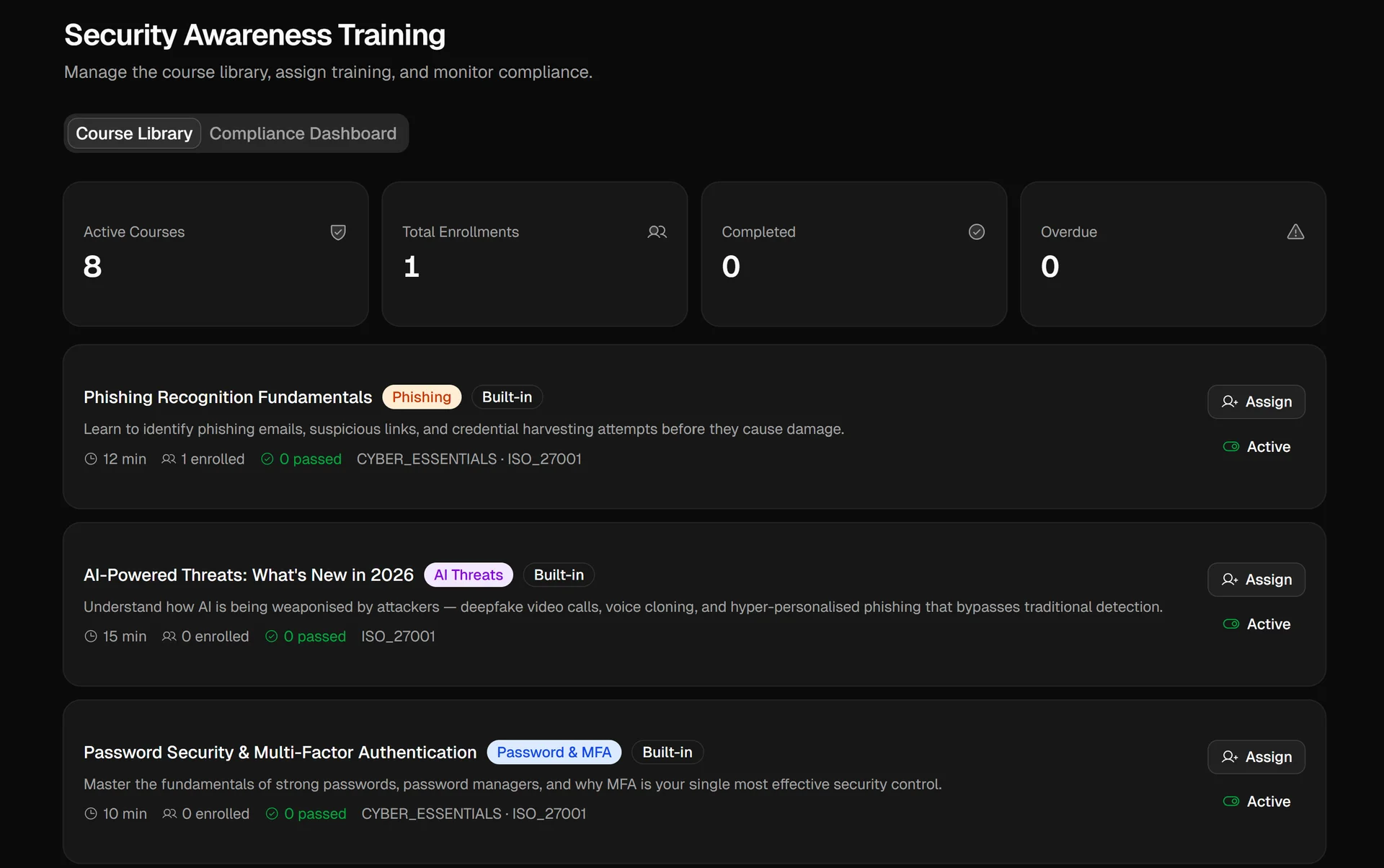
Security training that actually works. Built-in courses, real-world scenarios, and compliance tracking — all in one place.
01
Built-in course library
Nine ready-to-use courses written for UK small businesses: phishing emails, scams on your phone, passwords and two-step sign-in, payment and invoice fraud, manipulation and social engineering, AI fakes and AI tools, looking after your devices, handling personal data under UK GDPR, and security around the workplace.
02
Interactive assessments
Scenario-based quizzes with real-world examples. Employees identify phishing emails, spot social engineering tactics, and learn by doing — not just reading.
03
Compliance dashboard
A completion grid across every employee and course, and a security training report you can filter by department or team and by status. Completion counts only the courses people were asked to take.
04
Reminders and escalation
Assign courses to the people you choose, or everyone, with a due date. Luna reminds them before and after it is due, tells their line manager at 7 days overdue and administrators at 14, and warns before a pass runs out.
05
Policy sign-off
Publish your security policies and ask everyone, chosen teams or named people to read and accept them. Each acceptance records the person, the exact version and file, and when. A new version asks again; earlier versions and their acceptances are kept.
06
Joiner and leaver checklists
Security steps on your onboarding and offboarding templates: accounts approved and disabled, two-step sign-in on email and cloud services, devices issued and returned, shared passwords changed. Each step has an owner and a due date, and Luna chases anything late.
07
Staff incident log
Anyone can report a lost laptop, a suspicious email or data sent to the wrong person. Administrators triage it, and where personal data may be involved a 72-hour clock reminds them to record whether it must be reported to the ICO.
08
Computers, phones and tablets
With Device Security in the add-on, computers are checked by the Fleet agent, Intune or each person's confirmation. Phones and tablets are checked from each person's own confirmation (and Intune where it manages them), not by an agent on the phone.
09
Proof for auditors
A numbered certificate for every pass. Scheduled security reports as CSV or PDF, monthly snapshots kept for seven years, and a one-click dated evidence pack covering training, policy acceptance, devices, checklists and incidents. Administrators get a weekly digest of anything that needs attention.
The security awareness module, up close. Every module — from course library to compliance proof.
"IT Support" <no-reply@luna-hr-alerts.net>
Your Luna HR password will expire today. Click the link below to keep access to your account.
What should you do with this email?
01
Quizzes that test judgement
Scenario-based questions, not multiple-choice trivia. Employees reason through realistic phishing emails, texts, calls and social-engineering prompts — and learn from every attempt.
Compliance
40%
Certified
12
In progress
5
Overdue
2

Owen Jones
owen@lunahr.co.uk
Tim Lint
tim@lunahr.co.uk

Priya Shah
priya@lunahr.co.uk

Sofia Marin
sofia@lunahr.co.uk

Hana Weiss
hana@lunahr.co.uk
02
Compliance at a glance
A grid across every employee and course. Spot overdue training instantly, then run the security training report for a department or team and export it as CSV or PDF.
Frequently asked questions
What does the security awareness module cover?
Nine interactive courses written for UK small businesses, each with realistic scenarios and a short quiz: phishing emails, phone scams, passwords and two-step sign-in, payment fraud, manipulation, AI fakes, looking after your devices, UK GDPR and workplace security. Plus due dates, reminders, a completion grid and security reports.
Does it send phishing simulations?
No. Luna does not send simulated phishing emails. The courses teach people to spot phishing through realistic examples inside each course.
How are training records evidenced for audits?
Every pass is recorded with its date, score and how long it stays valid, and gets a numbered certificate. The security training report lists each person and course with assigned, due and completed dates, filterable by department or team, as CSV or PDF, and can be emailed on a schedule. Luna also keeps a monthly snapshot of the figures for seven years and builds a dated evidence pack in one click, covering training, two-step sign-in to Luna, policy acceptance, device checks including phones and tablets, joiner and leaver checklists and incident figures. It helps you prepare for ISO 27001 and insurer questions; it is not a certificate, and Cyber Essentials itself does not assess staff training.
Can staff sign off our security policies?
Yes. Publish a policy from a file in the Filing Cabinet or a new upload, choose who must accept it (everyone, chosen teams or named people) and set a due date. People open the policy and confirm they have read and accept that version; Luna reminds them, then their line manager and administrators if it is overdue. Each acceptance records the exact version and file and when it was accepted. Publishing a new version asks everyone again and keeps the history.
Does it help with joiners and leavers?
Yes. Switch on security steps for each onboarding and offboarding template, such as account creation approved, two-step sign-in on email and cloud services, devices issued, accounts disabled, shared passwords changed and devices returned. Each step has an owner and a due date counted from the start date or last day. Luna reminds the owner when a step is late, then administrators, and flags a leaver's checklist still open a week after the last day. Disabling the accounts themselves happens in your other systems.
Can staff report a security incident?
Yes. Anyone can report a lost device, a suspicious email or call, data sent to the wrong person or anything else that worries them. Administrators (and your named security contact) triage it, record actions and keep a timeline. Where personal data may be involved, a 72-hour clock reminds them to decide and record whether the breach must be reported to the ICO; Luna does not report it for you.
Does it cover phones and tablets?
Yes, with Device Security in the add-on. Each person confirms their work phones and tablets (screen lock, updates, apps from the official store, not jailbroken) and is asked to confirm them again every 90 days. Phones and tablets are checked from each person's own confirmation (and Intune where it manages them), not by an agent on the phone.
Can I customise the training content?
Not yet. You choose which of Luna's courses to switch on and who must take them, and the courses name your own security contact. Writing your own courses is not supported.
Is this a separate product or part of training?
Security Awareness is its own module, sold with Device Security as the security add-on. It sits alongside the Training module but keeps its own courses, records and reports.